
This happens to everyone now and then, and you can usually fix it in a minute or two. Please try these in order.
If The Email Did Not Arrive
-
Keep the TravelBreeze™ page open and wait one minute. The email can take a moment.
-
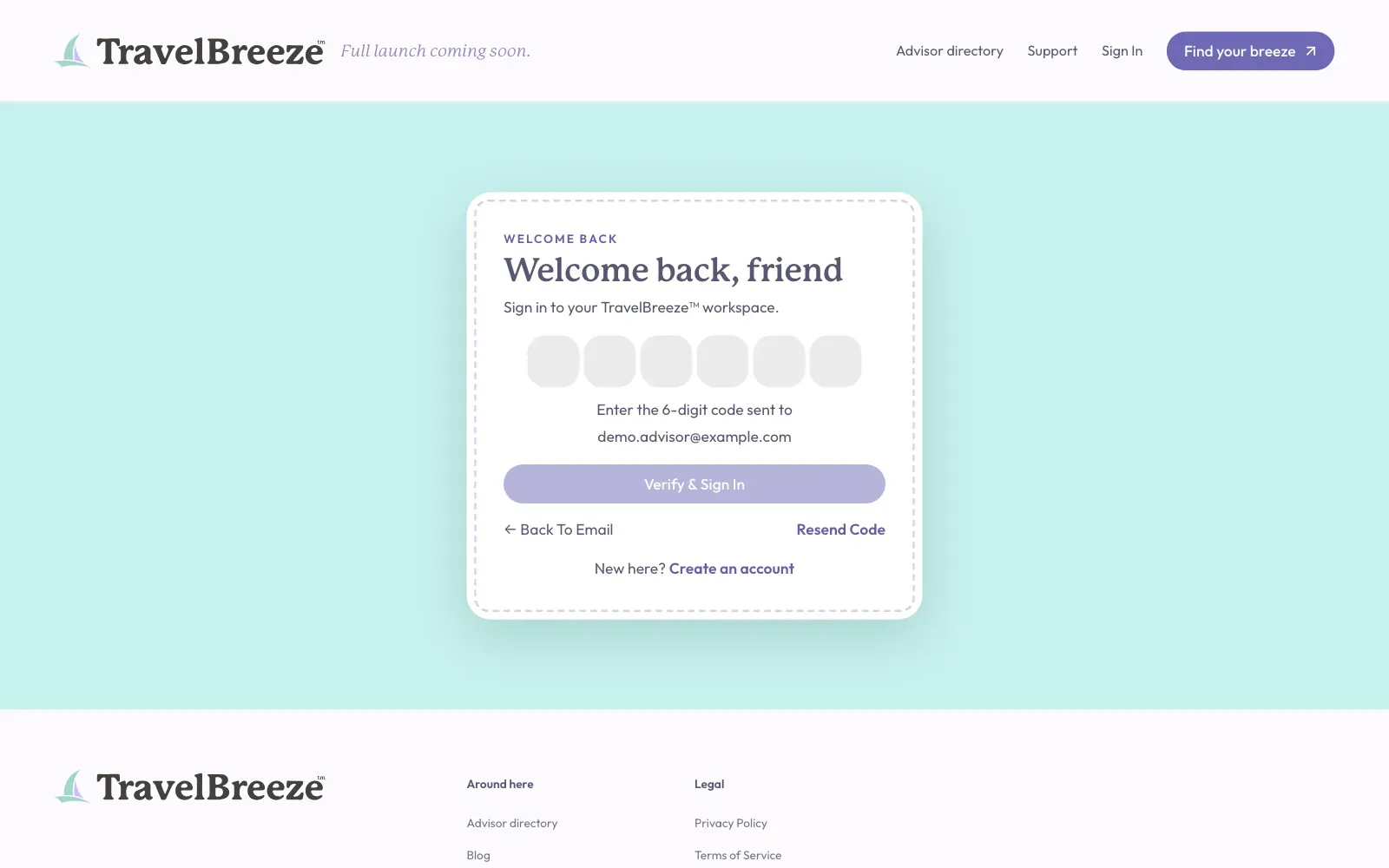
Look at the page, just under the 6 small boxes. It says Enter the 6-digit code sent to, followed by your email address. Check that the address is spelled correctly.
-
If the address is wrong, click ← Back To Email near the bottom of the box. Type the right address and click Continue with Email.
-
Open your email and look in your spam or junk folder. Those folders hold messages your email thinks are not important.
-
Search your email for "TravelBreeze™ sign-in code". The message comes from TravelBreeze™, at [email protected].
-
If you still cannot find it, go back to the TravelBreeze™ page. Click Resend Code at the bottom right of the box.
Good to know: If you have more than one email address, check them all. TravelBreeze™ only sends the code to the address you typed. Ask yourself which address you first signed up with.
If The Code Does Not Work
A code only works for 5 minutes. It also stops working if you get it wrong too many times.
-
Click Resend Code on the TravelBreeze™ page.
-
Wait for the new email. It may take a moment.
-
Open the newest email. Its title starts with the code, and the code is inside the message too.
-
Click the first small box on the TravelBreeze™ page, and type the 6 new numbers.
-
Click Verify & Sign In. If you are creating a new account, the button says Verify & Create Account.
Careful: Always use the code from the newest email. Older codes may no longer work.
Good to know: The button stays gray until all 6 boxes are filled in.
If You Closed The Page
That is okay. Go back to the TravelBreeze™ website and click Sign In at the top right. If you see the 6 small boxes, you can carry on. If you see the Email address box, type your address and click Continue with Email. A new code will be sent.
Check Your Email On A Phone
You can read the code on your phone and type it on your computer. That works just fine. Keep the TravelBreeze™ page open on your computer while you look.
Stuck? Email us at [email protected] and tell us the email address you are trying to use. Please do not send us your code.