
You will find both of these under Tools at the top of the page.
Shorten A Link
Long web links are hard to share. This makes a short one.
-
Look at the top of the page and click Tools.
-
In the menu that opens, click URL Shortener.
-
Click Create Short URL.
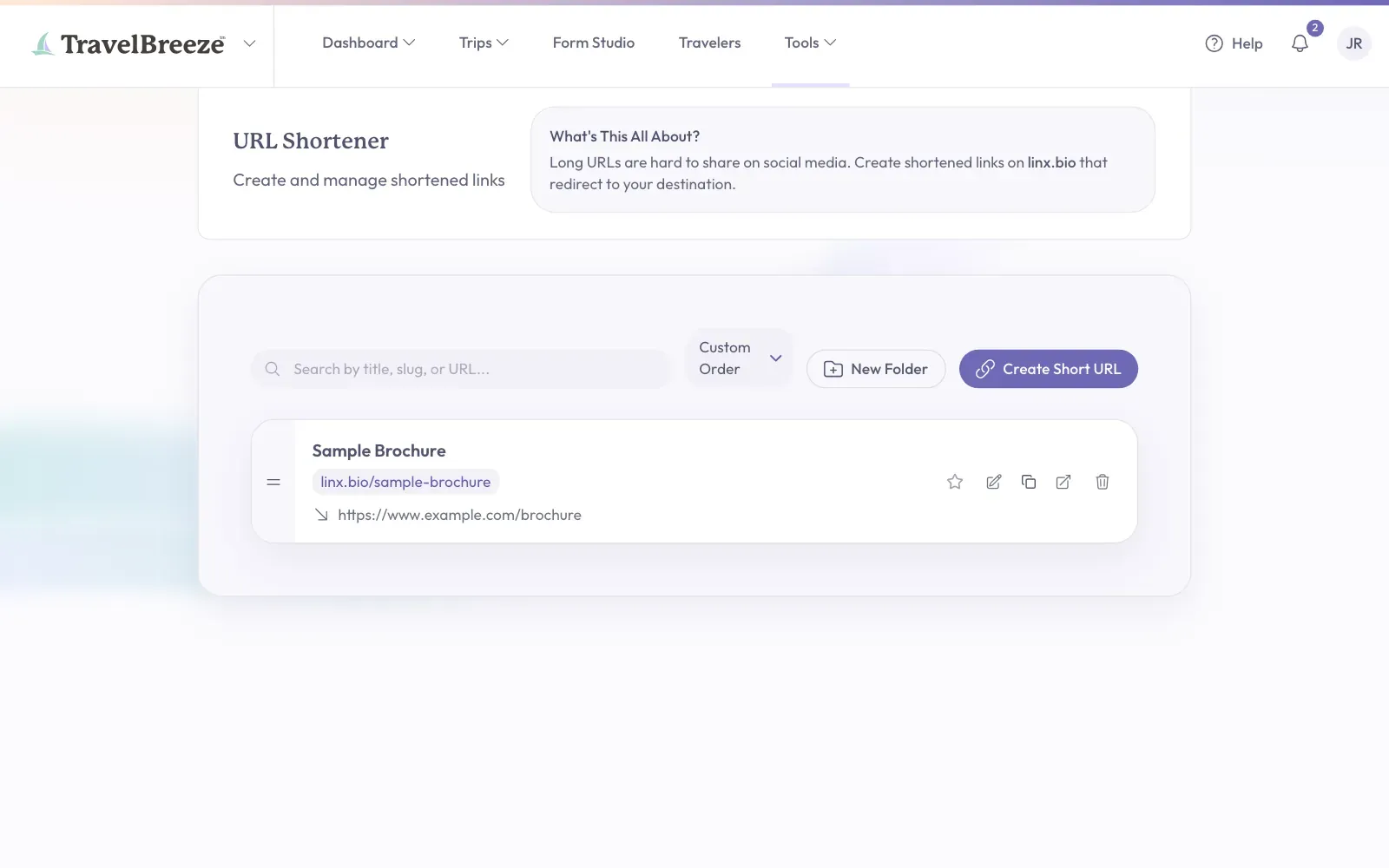
-
In the URL box, paste your long link.
-
In the Title box, type a name you will remember.
-
Click Create.
Your short link now appears in the list. Click Copy Link on it to copy it.
Keep Track Of Write-Offs
Keep your business receipts sorted by category and quarter, so tax time is easier.
-
Look at the top of the page and click Tools.
-
In the menu that opens, click Write-Offs.
-
Click Upload & Review at the top right of the page.
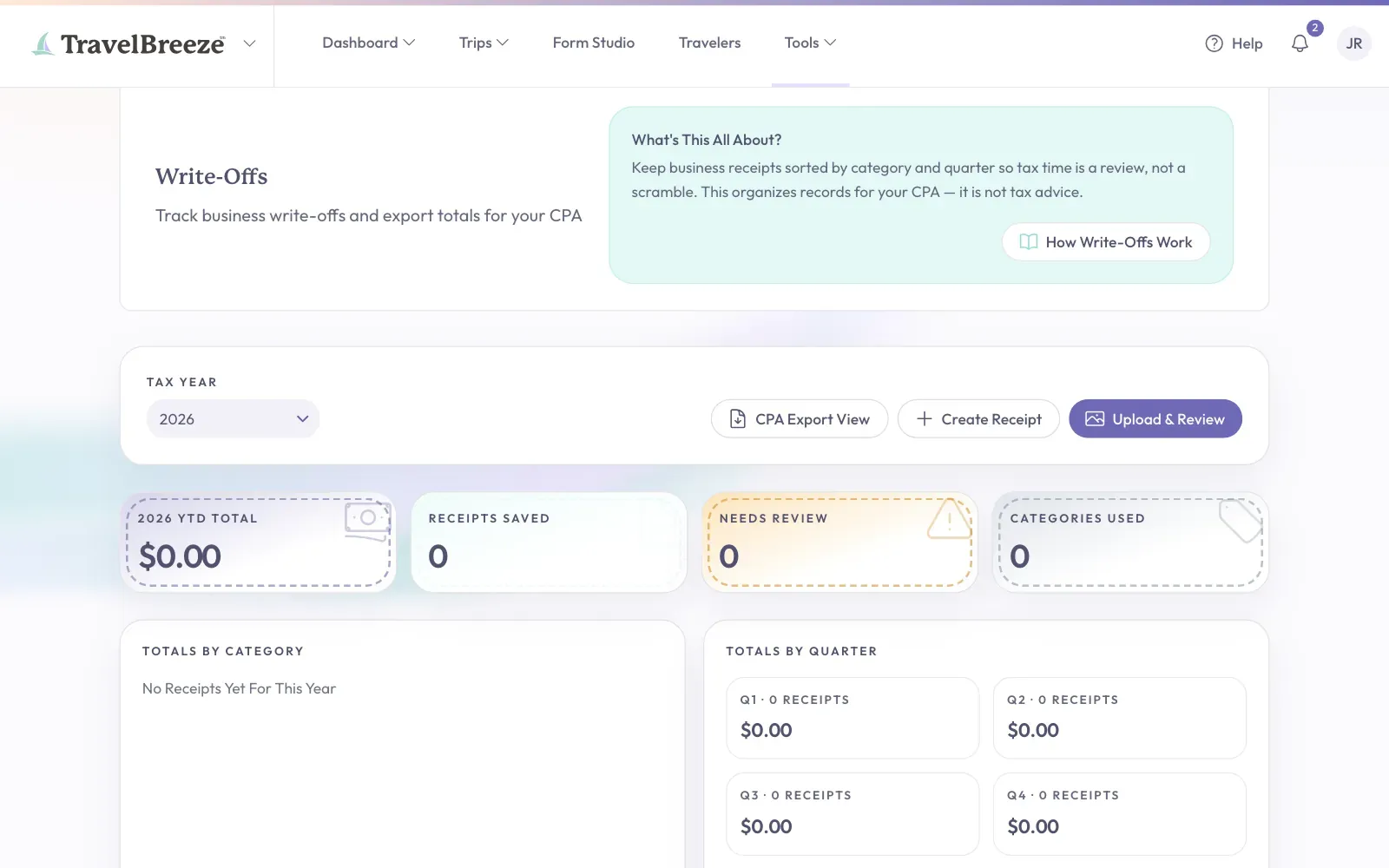
-
Click Drop Receipt Here Or Click To Browse and choose a photo or PDF of your receipt.
-
Check the details TravelBreeze™ found, and fix anything that is wrong.
-
Click the button to save it.
Have no photo or PDF? Click Create Receipt and type the details yourself. Receipts you have not checked show as Needs Review.
When you are ready for tax time, click CPA Export View. Then click Download CSV. That gives you a spreadsheet file to send to your accountant.
Good to know: To learn more, click How Write-Offs Work on the page. TravelBreeze™ does not give tax advice, so check with your accountant.