
My Commissions shows the money you earn. You can see what you have been paid, and what should still be coming from your bookings. It only shows your own share, not the whole agency's.
Good to know: You'll only see this on a paid plan.
Open My Commissions
-
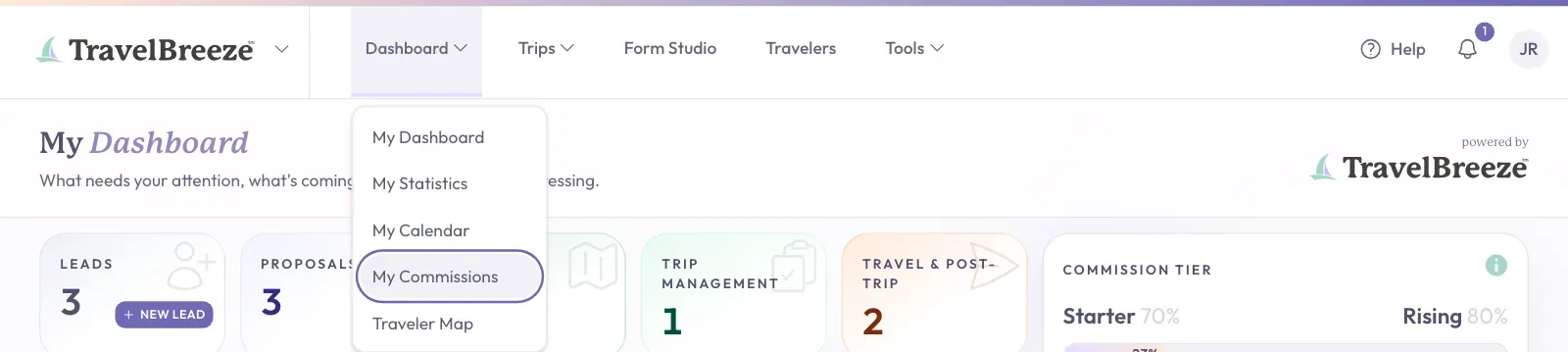
Look at the top of the page and click Dashboard.
-
In the menu that opens, click My Commissions.
Read The Three Boxes
Three large boxes sit near the top of the page. Each one shows an amount.
- Anticipated Commission is what you can expect from active bookings. It has not been paid yet.
- Current Payouts is money paid to you this month, or planned for later.
- Past Payouts is money paid to you before this month.

Click a box to see the list behind it. The list appears below the boxes.
Good to know: A payout can show a small amount of fees under it. That amount is shown in the same box.
Choose The Dates
The page starts on All Time. To see a shorter period:
-
Near the top of the page, find Date Range.
-
Click the box under it and choose a period, like This Month or Last Year.
The boxes and lists change to match the dates you chose.
Find A Booking
-
Click the box you want to look through.
-
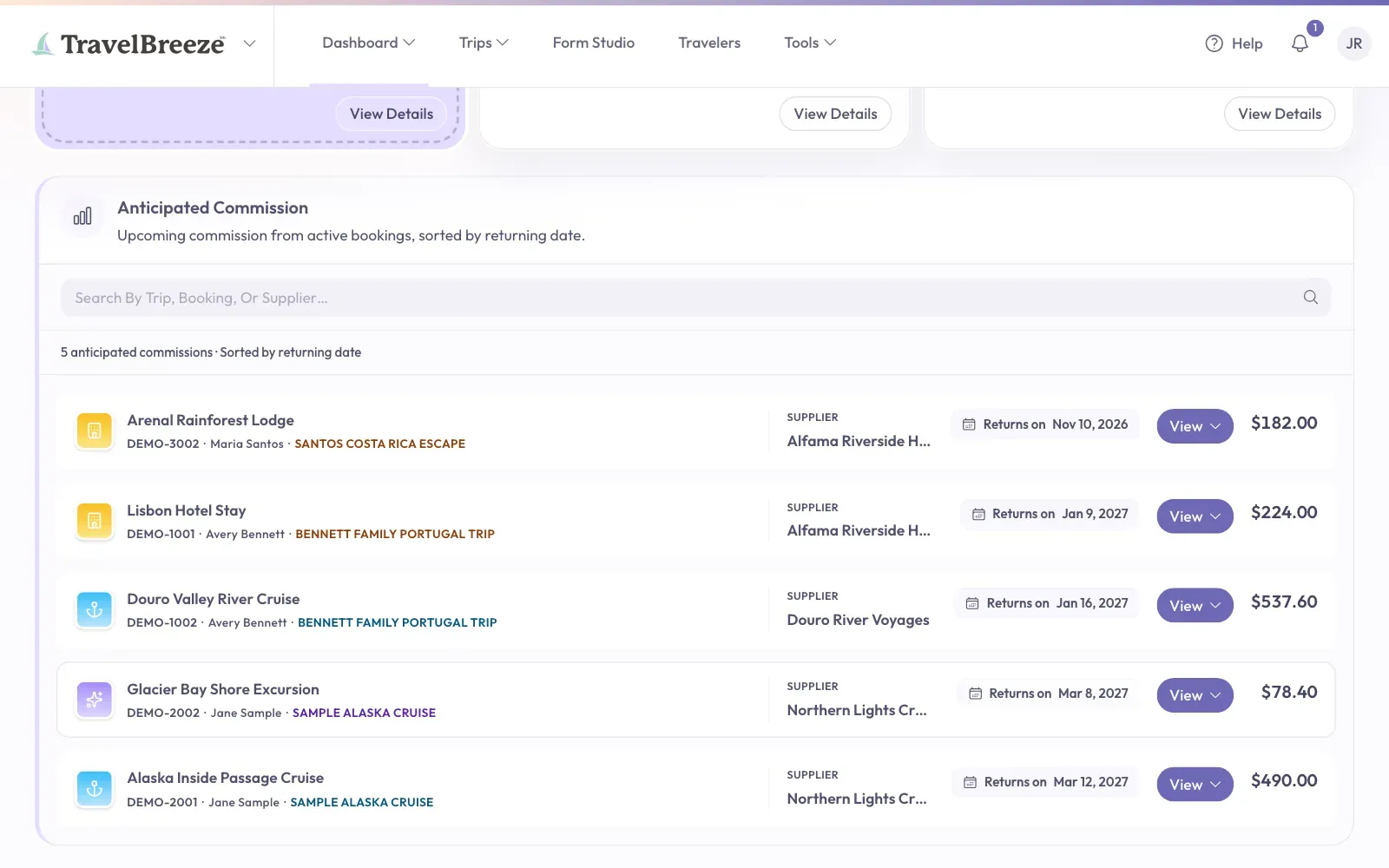
Click the search box that says Search By Trip, Booking, Or Supplier….
-
Type a word from the trip, the booking, or the supplier.
-
Under Anticipated Commission, click View on a row. Then click View Booking or View Trip to see more.
Under Past Payouts, you can also pick a month to look at.
See Charts
Above the lists, there are two tabs: Details and Reports. Click Reports to see charts of your earnings over time. Click Details to go back to the lists.
Your Commission Tier
You'll only see this if your agency pays commission in tiers. A tier is a level that depends on how much you have sold.
Next to Date Range, a box shows your current tier and how much more you need to reach the next one.
If Your Lists Are Empty
You may see No Upcoming Commission, No Current Payouts, or No Past Payouts. This means there is nothing to show yet for the dates you chose. Try choosing All Time under Date Range.
Stuck? If an amount looks wrong, ask your agency owner or admin. They can check how your commission was worked out.