
Your agency's name and logo show up across TravelBreeze™ and on your public pages. Update them here so they look right.
Good to know: You'll only see this if you are an owner or an admin of your agency. Your plan must also include the agency menus.
Open Agency Settings
-
Look at the top left corner of the page. Click the logo. It has a small arrow next to it.
-
Click Back Office Menu.
-
Look along the top of the page and click Agency. A small menu opens.

-
Click Settings. The Agency Settings page opens.
Upload Your Logos
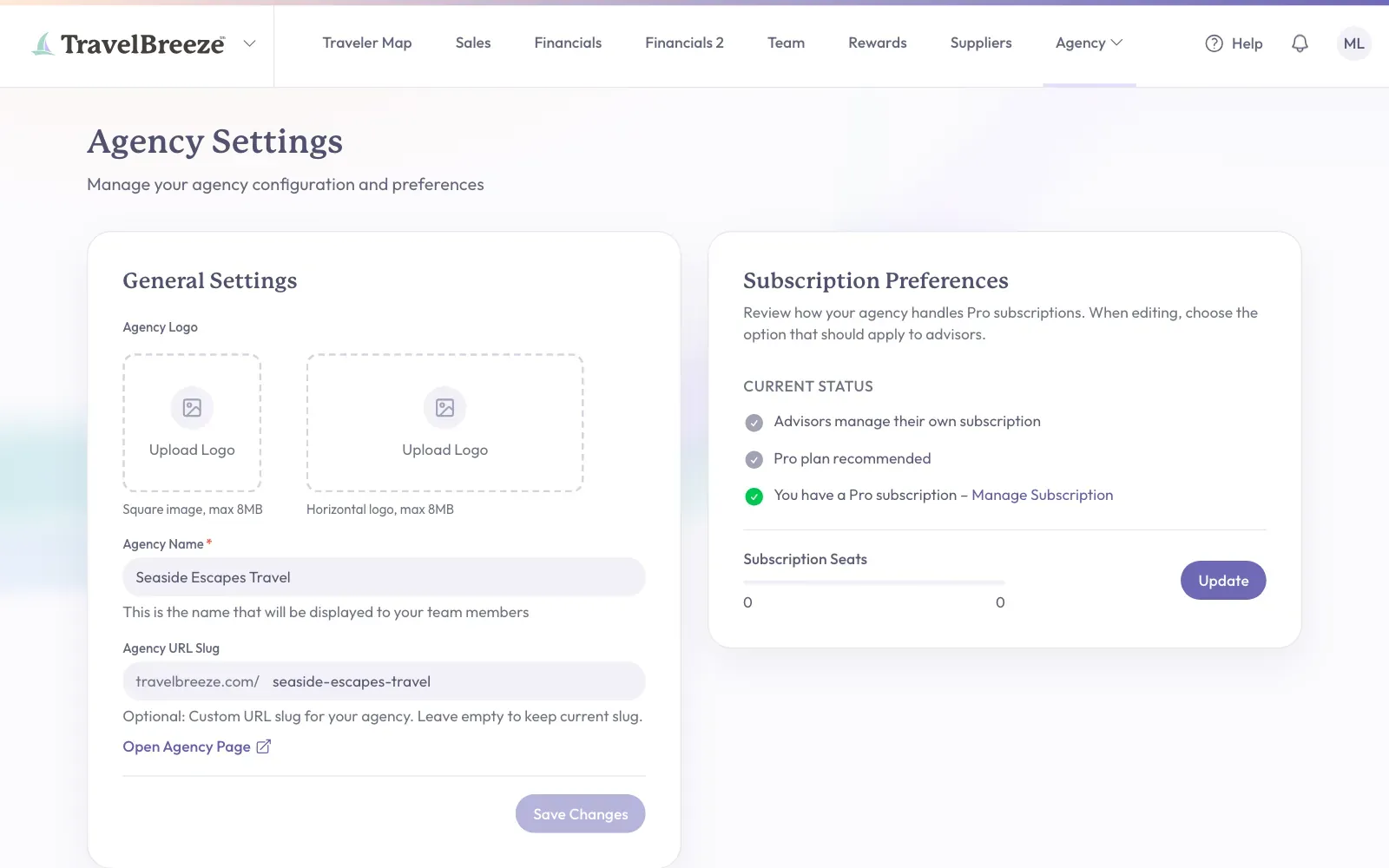
Find General Settings on the left of the page. Under Agency Logo there are two boxes.
- The square box is for a square logo.
- The wide box is for a horizontal logo. A horizontal logo also replaces the TravelBreeze™ logo at the top left for your whole team.
-
Click Upload Logo in the box you want.
-
A window opens so you can look through your computer. Click your logo file.
-
Click Open.
Your logo appears in the box, and it saves by itself.
Good to know: Your logo must be a JPEG, PNG, WebP, GIF, or SVG picture. It must be smaller than 8MB.
To replace a logo: Move your pointer over it and click Change.
To remove a logo: Click the small remove button on the logo. Then confirm in the Remove Logo window.
Change Your Agency's Name
-
Click the Agency Name box. You must fill in this box.
-
Type the new name.
-
Scroll down to the bottom of General Settings. Click Save Changes.
The button shows a check mark and says Saved.
Change Your Agency's Web Address
Your agency has its own public page at travelbreeze.com. The last part of that address is called the slug.
-
Click the Agency URL Slug box.
-
Type the words you want. Use lowercase letters and dashes, such as sunny-days-travel.
-
Click Save Changes at the bottom of General Settings.
Careful: If you change the slug, any old links you shared to your agency page may stop working.
Check Your Work
Click Open Agency Page under the Agency URL Slug box. Your agency's public page opens in a new tab.
Stuck? If the button says Not Saved, read the message on the screen. "This slug is already taken" means another agency uses that address, so try a different one. Still stuck? Email us at [email protected].