
Photos help travelers picture a trip with you. Certificates show that you are trained and current. Both appear on your public advisor page.
You upload them in the Profile Builder. To get there, click the small circle with your photo or initials at the top right of the page. Then click Profile.
Upload Travel Photos
-
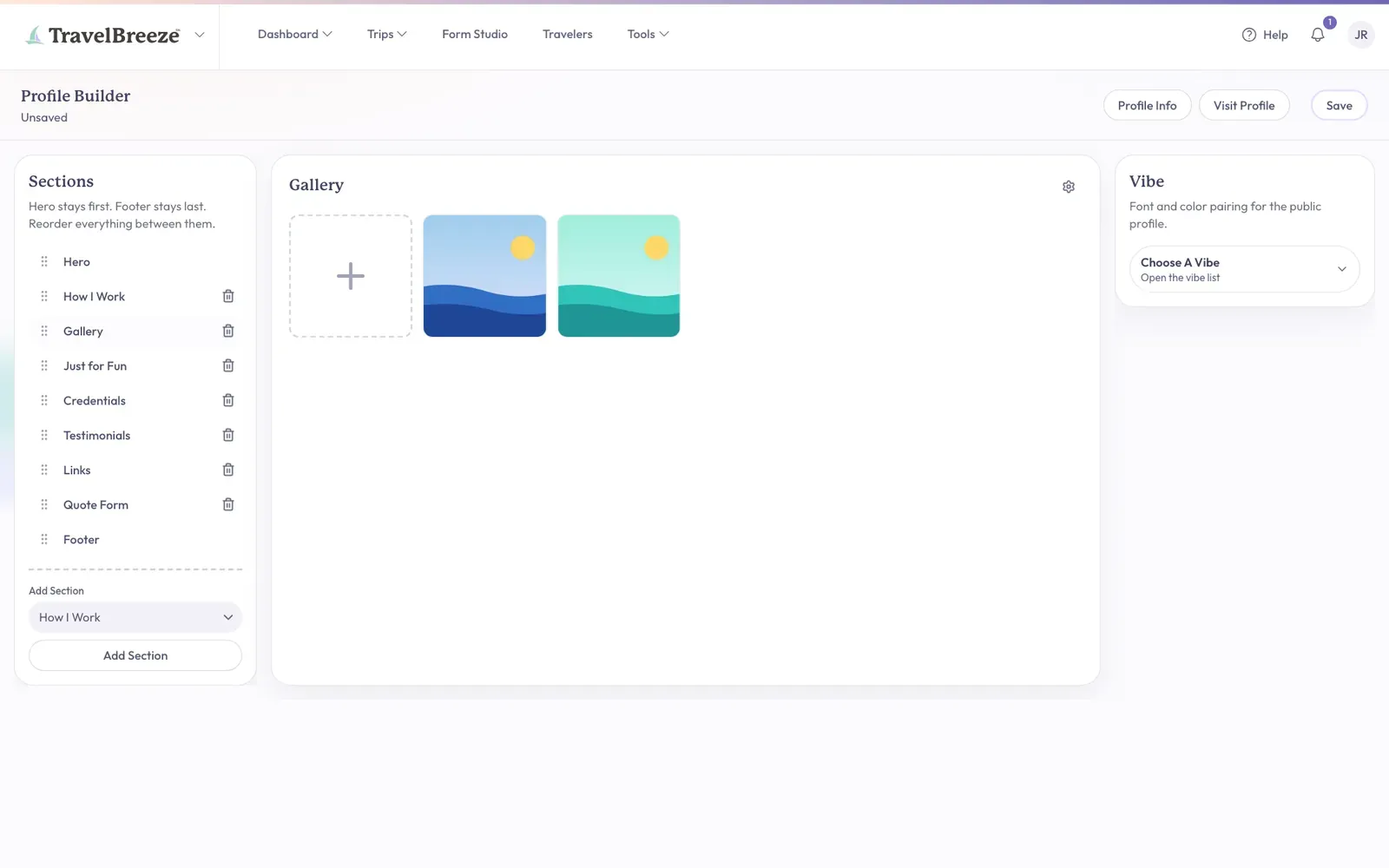
Look under Sections on the left of the screen. Click Gallery.
Stuck? No Gallery in the list? Pick it in the Add Section list on the left, then click the Add Section button.
-
Find the big box with a plus sign in the middle of the screen. Click it.
-
A window opens so you can look through your computer. Click the photo you want.
-
Click Open.
-
Wait a moment. The box spins, shows a check mark, and your photo appears beside it.
-
Click Save at the top right of the page.
Careful: Your photos are not on your page until you click Save. If you leave first, they are lost.
Good to know: You can pick several photos at once. Hold down the Command key on a Mac, or the Ctrl key on a Windows computer, while you click them.
Upload Certificates And Awards
-
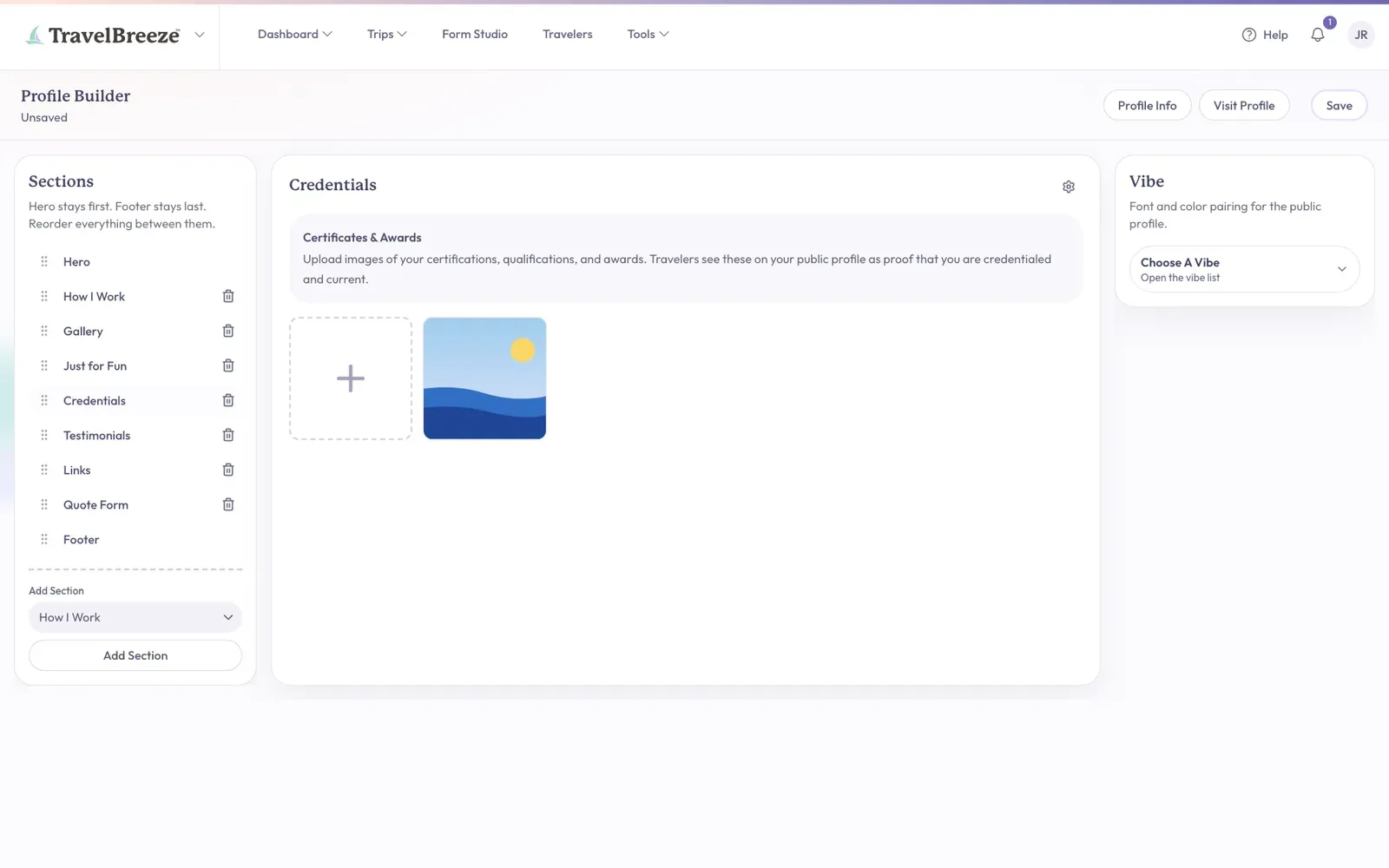
Under Sections on the left, click Credentials.
-
Find the box with a plus sign under Certificates & Awards. Click it.
-
Click a picture of your certificate, then click Open.
-
Wait for your certificate to appear beside the box.
-
Click Save at the top right of the page.
Good to know: Certificates must be picture files. If your certificate is a PDF, take a screenshot of it and upload that instead.
Look, Move, Or Remove
These steps work the same for photos and certificates.
-
To see a picture larger: Click it. Click the empty space around it to close the larger view.
-
To change the order: Press and hold a picture, then drag it to a new spot.
-
To remove a picture: Move your pointer over it. A red button with a trash can appears at its top right corner. Click that button.

After any of these changes, click Save at the top right of the page.
Check Your Page
-
Click Visit Profile at the top right of the Profile Builder.
-
Scroll down your page in the new tab. You should see your photos and certificates.
If you have more than 12 in a section, your page shows 12 first. Visitors click Load More to see the rest.
Stuck? If you see "Failed to upload photo", try a different picture. Still stuck? Email us at [email protected].
Next, you can collect testimonials from happy travelers.