
A draft booking is a booking you have not finished. It is handy when you know a little about a reservation but do not have the confirmation yet.
A draft does not count toward your sales, your commission tier, or the trip's totals. Your traveler does not see it on the page you share with them.
Good to know: You will only see this if your agency allows draft bookings. An agency owner or admin turns on Allow Draft Bookings under Preferences. It is off until they do.
Create A Draft Booking
-
Open the trip and click the Bookings tab under the trip name.
-
Click Create Booking.
-
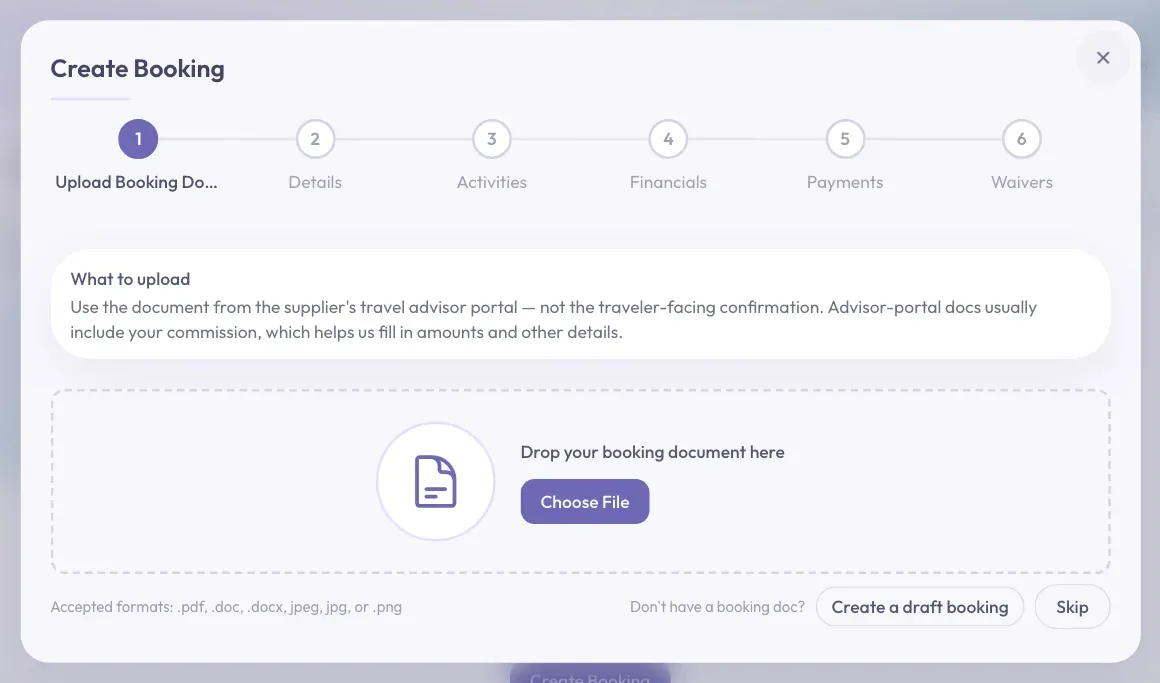
Look under the dashed box on the first step. Next to "Don't have a booking doc?", click Create a draft booking.
-
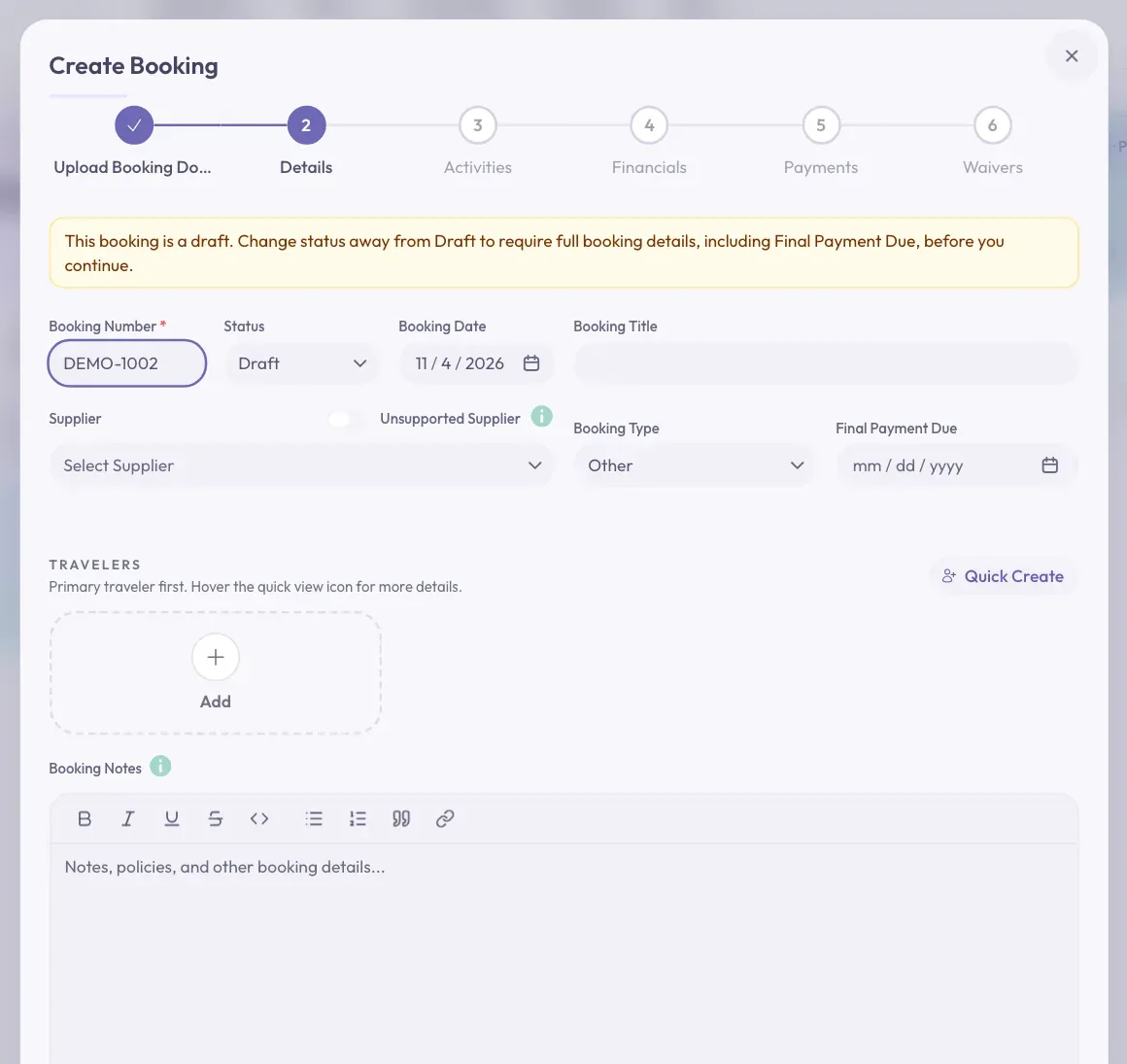
The Details step opens. A yellow message at the top says this booking is a draft.
-
Type a Booking Number. It is the only box you must fill in.
-
Fill in anything else you already know.
-
Click Next at the bottom right of the window. Keep clicking Next through the other steps. You can leave them empty for now.
-
On the last step, Waivers, click Create Booking.
You will see a short message that says "Booking created". Your booking is listed on the Bookings tab. Click its row to see the status Draft.
Finish A Draft Booking
Later, when you have the details, you can turn your draft into a regular booking.
-
On the Bookings tab, find the booking. At the far right of its row, click the pencil button.
-
A panel called Update Booking opens. Fill in the Details tab, including Final Payment Due and your travelers.
-
Use the tabs at the top of the panel to fill in Activities, Commission, and Waivers.
-
Click Save Changes at the bottom right of the panel.
On the Bookings tab, click the booking's row to see its status. If you filled in everything, it no longer says Draft. It now counts as a regular booking, and its status becomes Confirmed unless you chose another one.
Stuck? Does it still say Draft? Something required is still empty. Check for a final payment date and a total cost. Check for a traveler, and an activity with a start date. All three waiver questions need an answer too.
Two Kinds Of Draft
The word "draft" means two different things, so it is easy to mix them up.
- A draft booking is a saved booking marked Draft. It is listed on the Bookings tab.
- An unfinished booking is the Create Booking window you closed partway through. It is not a booking yet and is not listed anywhere. Click Create Booking on that trip, then click Resume Draft to carry on.
Demo Bookings
The Status box on Details also has Demo. Demo bookings stay out of your totals too, just like drafts.
Careful: If your agency does not allow draft bookings, choosing Draft in the Status box will not work. When you click Create Booking, you will see "Draft bookings are not enabled for this agency". Change the Status back to continue.