
An agency is the travel business you work with. Every TravelBreeze™ user must belong to one. Until you do, TravelBreeze™ keeps bringing you back to this page.
TravelBreeze™ sets you up in this order:
- First, your agency. That is this article.
- Next, your profile.
- After that, the rest of TravelBreeze™.
Pick the part below that fits you.
If You Were Invited
If an agency invited you, TravelBreeze™ shows a page that says You've Been Invited! This page appears when you sign in with the email address they invited.
-
Find the name of your agency on the page. Click the View Invitation button under it.

-
Click the Join this Agency button.
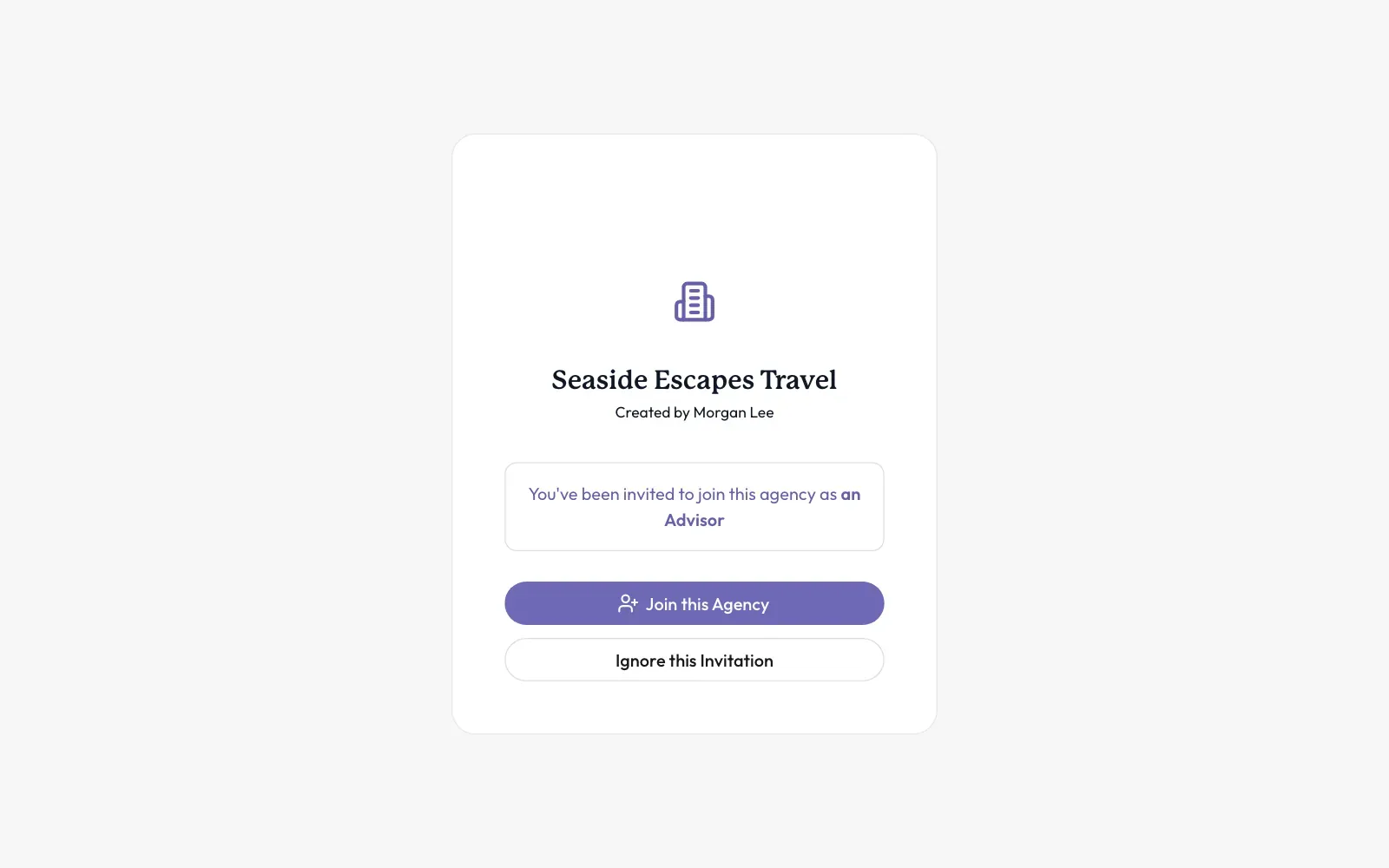
You are now part of the agency. If this invitation is not for you, click Ignore this Invitation instead.
Stuck? If the page says the invitation has expired, ask the agency to send a new one.
If You Want To Join An Agency That Is Already Here
-
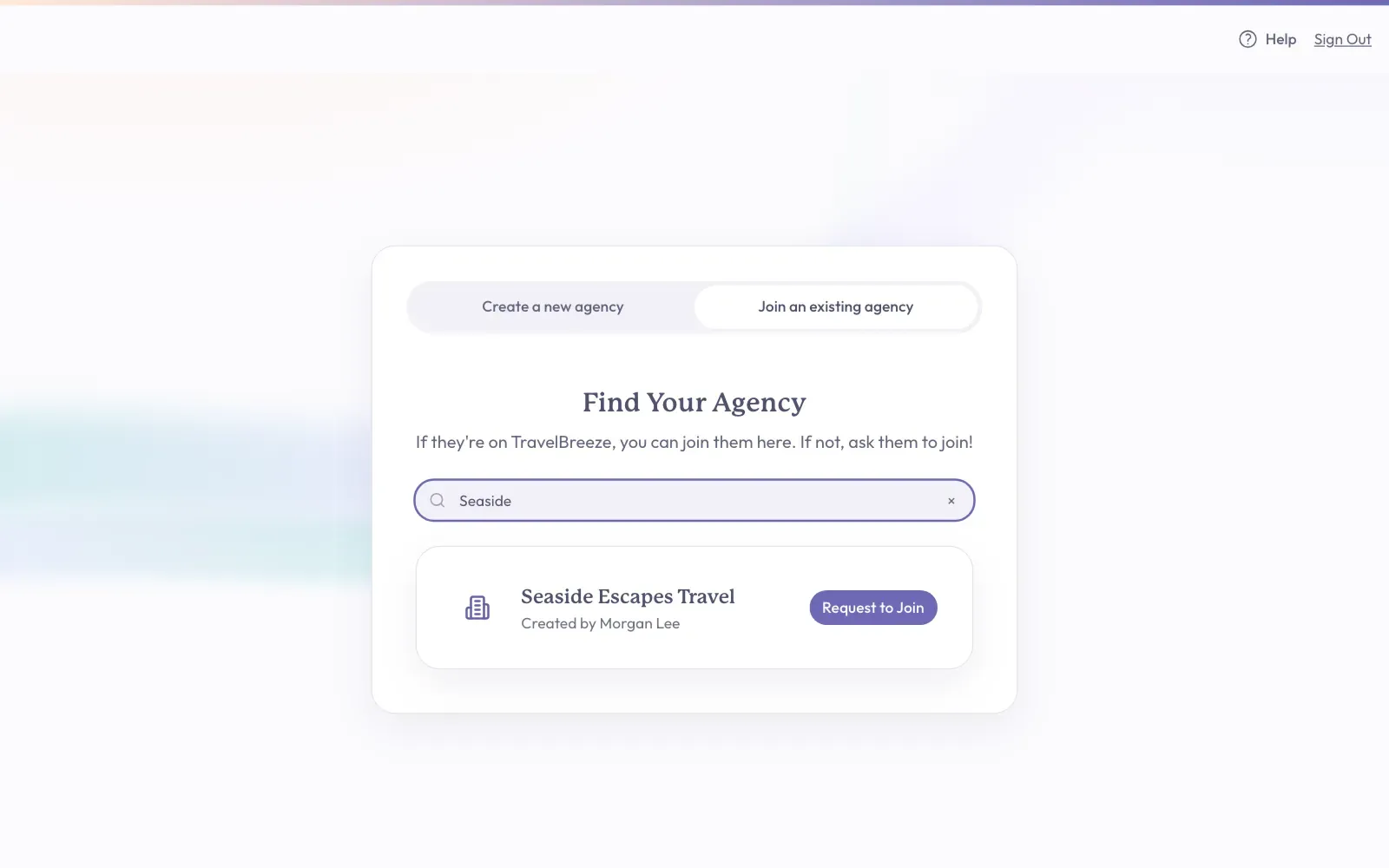
Click the Join an existing agency tab near the top of the page.
-
Click inside the search box. Type at least 3 letters of the agency's name.
-
Find your agency in the list. Click the Request to Join button next to it.
-
A small window asks if you are sure. Click Send Request.
You should now see a page that says Request Submitted! An administrator at the agency must approve you before you can continue. An administrator is a person who helps run the agency.
Good to know: Watch your email. TravelBreeze™ emails you when your request is approved or denied.
Stuck? If your agency does not show up, it may not be on TravelBreeze™ yet. Check the spelling, or ask them to join.
To take back a request, go back to the agency page. Find Agency Requests under the main box. Click Cancel request next to the agency.
If You Want To Create Your Own Agency
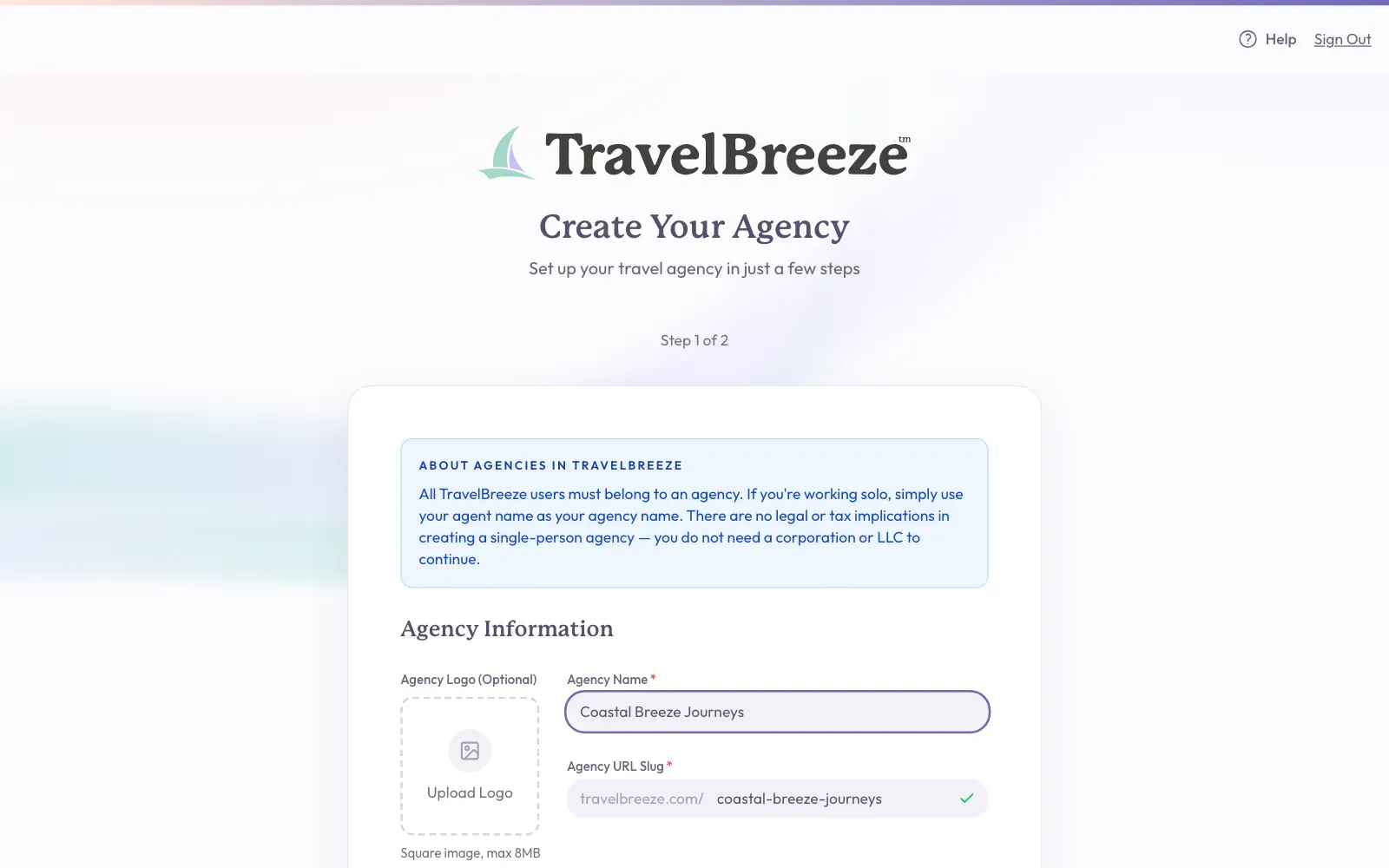
Do this if you own an agency, or if you work alone. If you work alone, you can simply use your own name as the agency name. TravelBreeze™ says there are no legal or tax effects, and you do not need a corporation or LLC.
-
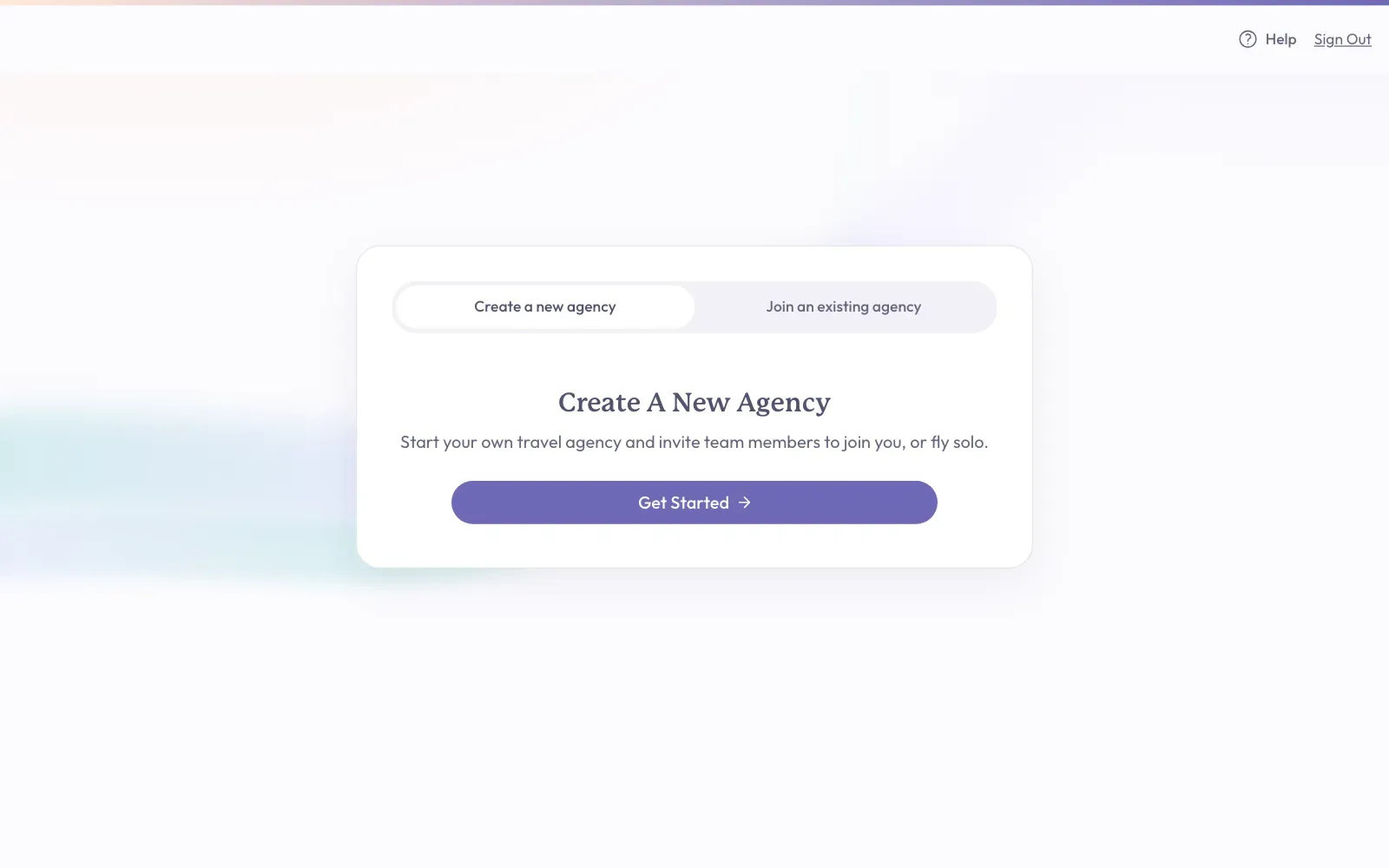
Stay on the Create a new agency tab. Click the Get Started button.
-
Click inside the Agency Name box and type your agency's name.
-
Look at the Agency URL Slug box under it. TravelBreeze™ fills this in for you. It is the short name in your agency's web address. A green check mark means the name is free to use.
-
If you have a logo, click Upload Logo on the left. This is optional, and you can skip it.
-
Click the Create Agency button at the bottom right of the box.
-
You should now see a green message that says your agency was created. Next, TravelBreeze™ asks you to invite your team. If you work alone or want to do this later, click Skip for Now at the bottom left.
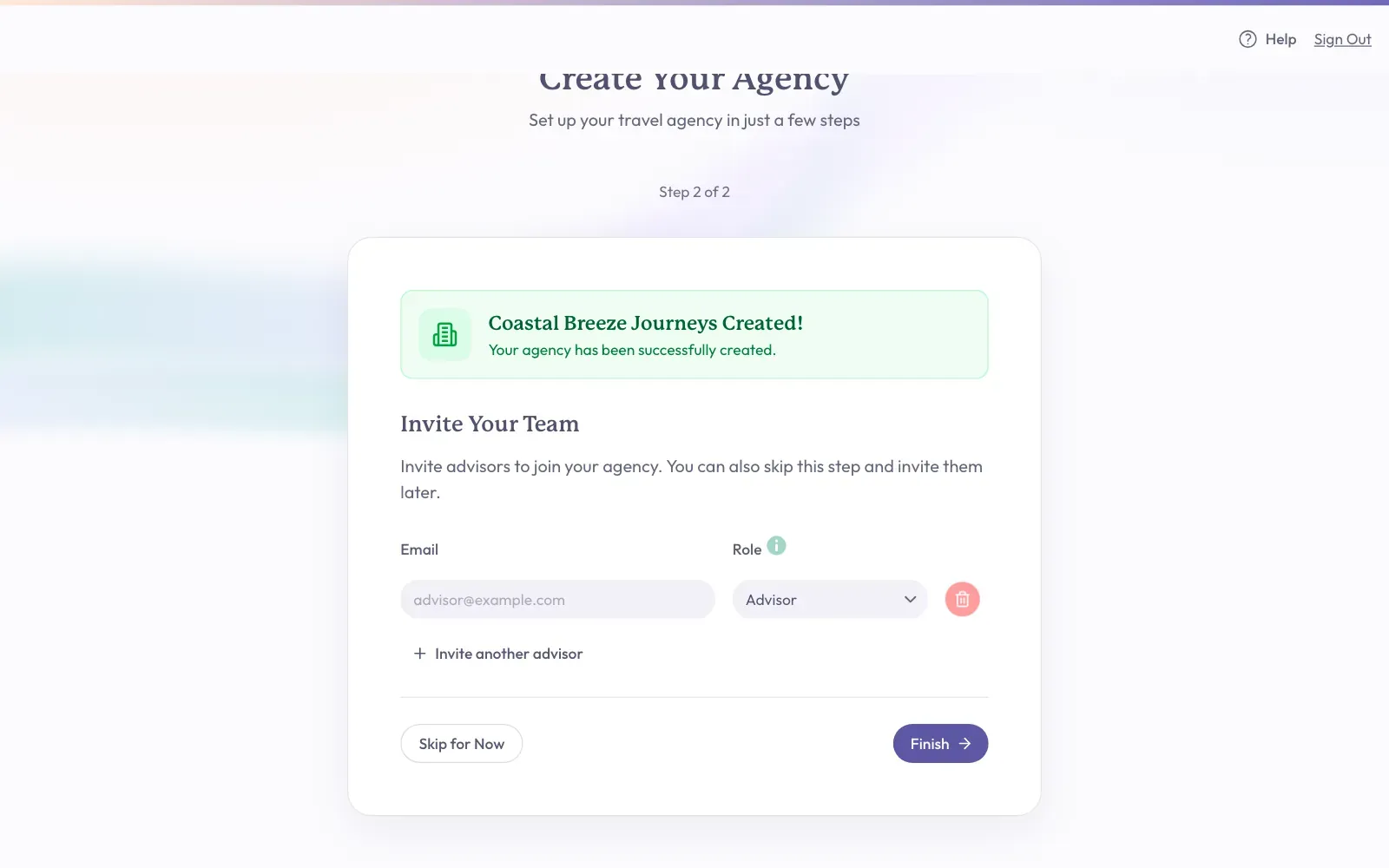
To Invite Your Team Now
-
Type a person's email address in the box under Email.
-
Next to it, choose their job under Role. Most people should be Advisor.
-
To add another person, click Invite another advisor.
-
Click the button at the bottom right. It shows how many invitations will go out, such as Send 1 Invitation(s).
What You Should See Next
Once you belong to an agency, the main menu appears at the top of the page. Your next step is to add your name. Read Finish Your Profile.
Good to know: You may see a box titled Take Over An Existing Advisor Profile? This means an agency already made a profile for your email address. Click Accept & join only if you recognize that agency.