
A Smart Document starts with a PDF you already use, like a waiver. You show TravelBreeze™ where to sign and what to fill in. Your traveler does it online, and you get back a finished PDF.
You need the PDF saved on your computer before you start.
Build Your Smart Document
-
Look at the top of the page and click Form Studio.
-
Under the big Form Studio heading, click Smart Docs.
-
Click Create A Form at the top right of the page.
-
Click Smart Document. A new page opens.
-
Click the title at the top of the page. Type a name, like "Client Waiver".
-
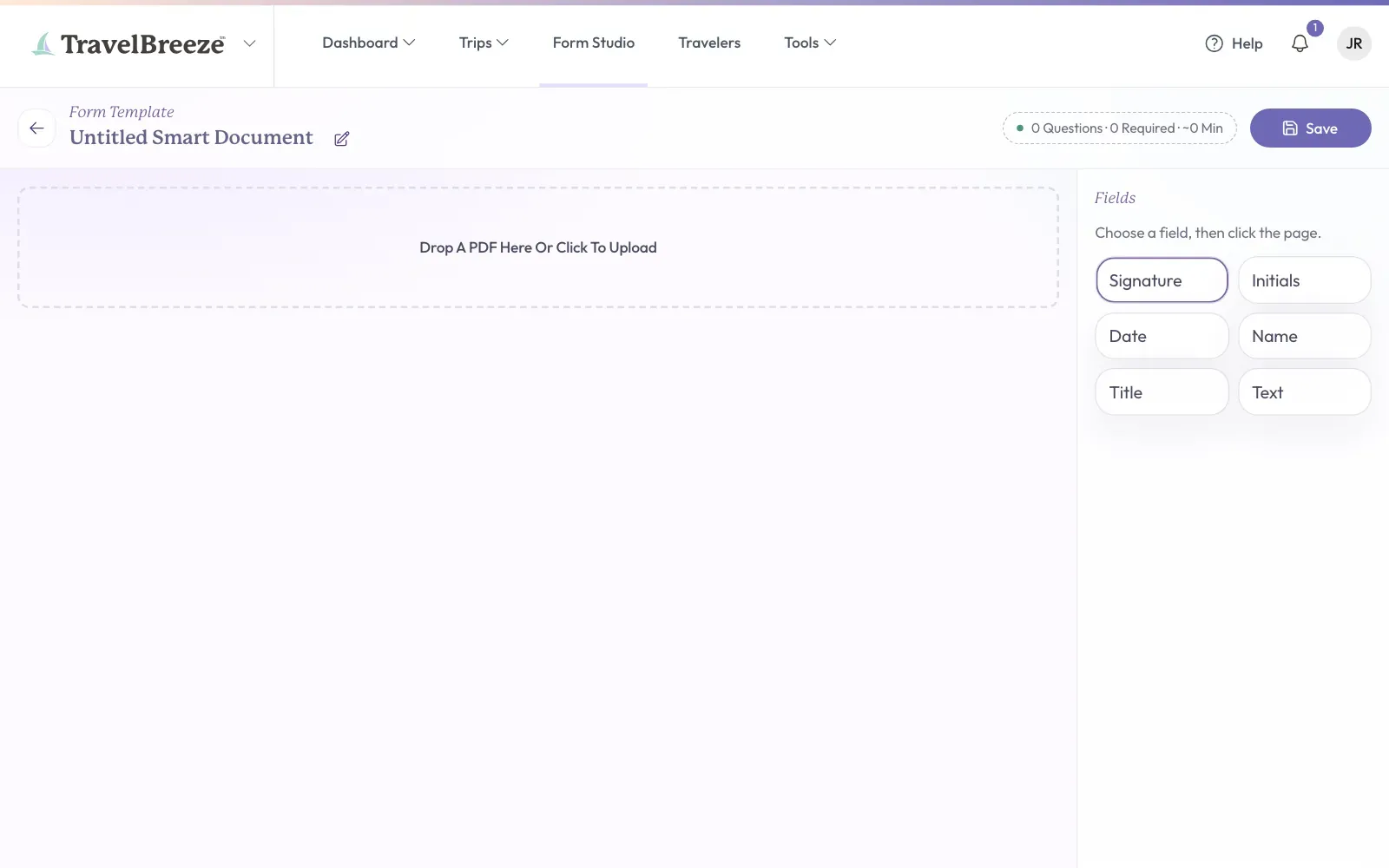
Click the area that says Drop A PDF Here Or Click To Upload. Choose your PDF. Your document appears on the page.
-
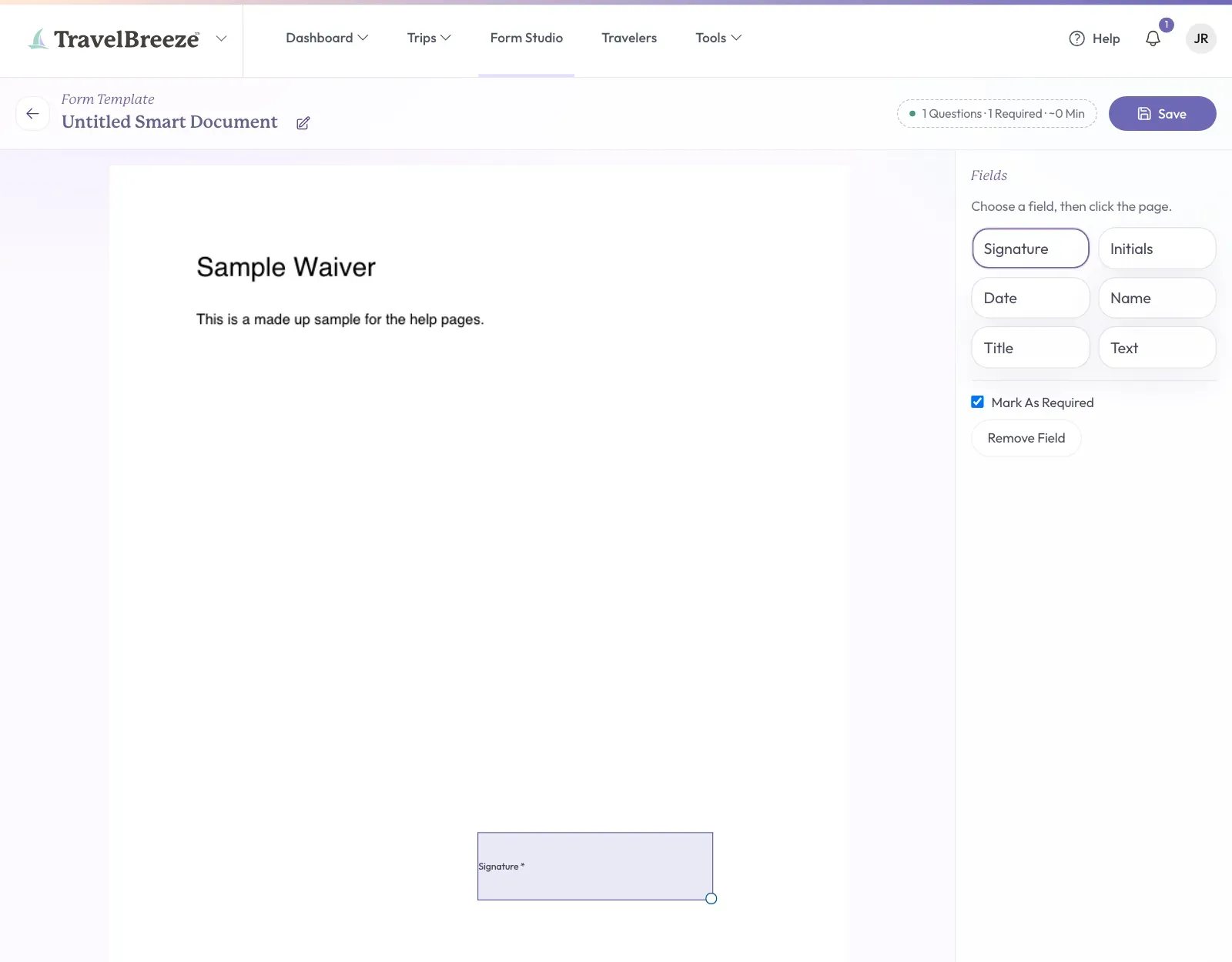
On the right side, under Fields, click the kind of box you want. You can pick Signature, Initials, Date, Name, Title, or Text.
-
Click the spot on your document where the box belongs. It appears there.
-
Repeat steps 7 and 8 for each box you need.
-
Click Save at the top right corner of the page.
The button turns green and says Saved. Then you go back to the Smart Docs tab, and your document is there as a card.
Change A Box
- To move a box, drag it to a new spot.
- To change its size, click the box, then drag its corner.
- To make it optional or required, click the box, then click Mark As Required on the right.
- To take it away, click the box, then click Remove Field on the right.
Careful: Do not use this to collect a credit card. Saving fails if a box asks for a card number or security code. Read Collect A Credit Card Authorization.
Send It And Get It Back
A Smart Document is sent the same way as a form. Read Send A Form To A Traveler.
Your traveler draws in the Signature and Initials boxes with their mouse or finger. They type in the other boxes. Then they click the big button at the bottom of the page.
When they finish, open the request on the Requests tab. Click View The Signed PDF under Answers. Read See A Traveler's Answers.
Good to know: You decide if an online signature is right for your purpose. TravelBreeze™ does not give legal advice, and it does not promise that a signature is legally binding. Our Terms of Service explain more.