
This article is only for agency owners and admins. Preferences are rules for your whole agency. A change affects everyone.
Open Preferences
-
Look at the top left corner of the page. Click the logo.
-
Click Back Office Menu.
-
Look along the top of the page and click Agency.
-
Click Preferences.
Change A Preference
-
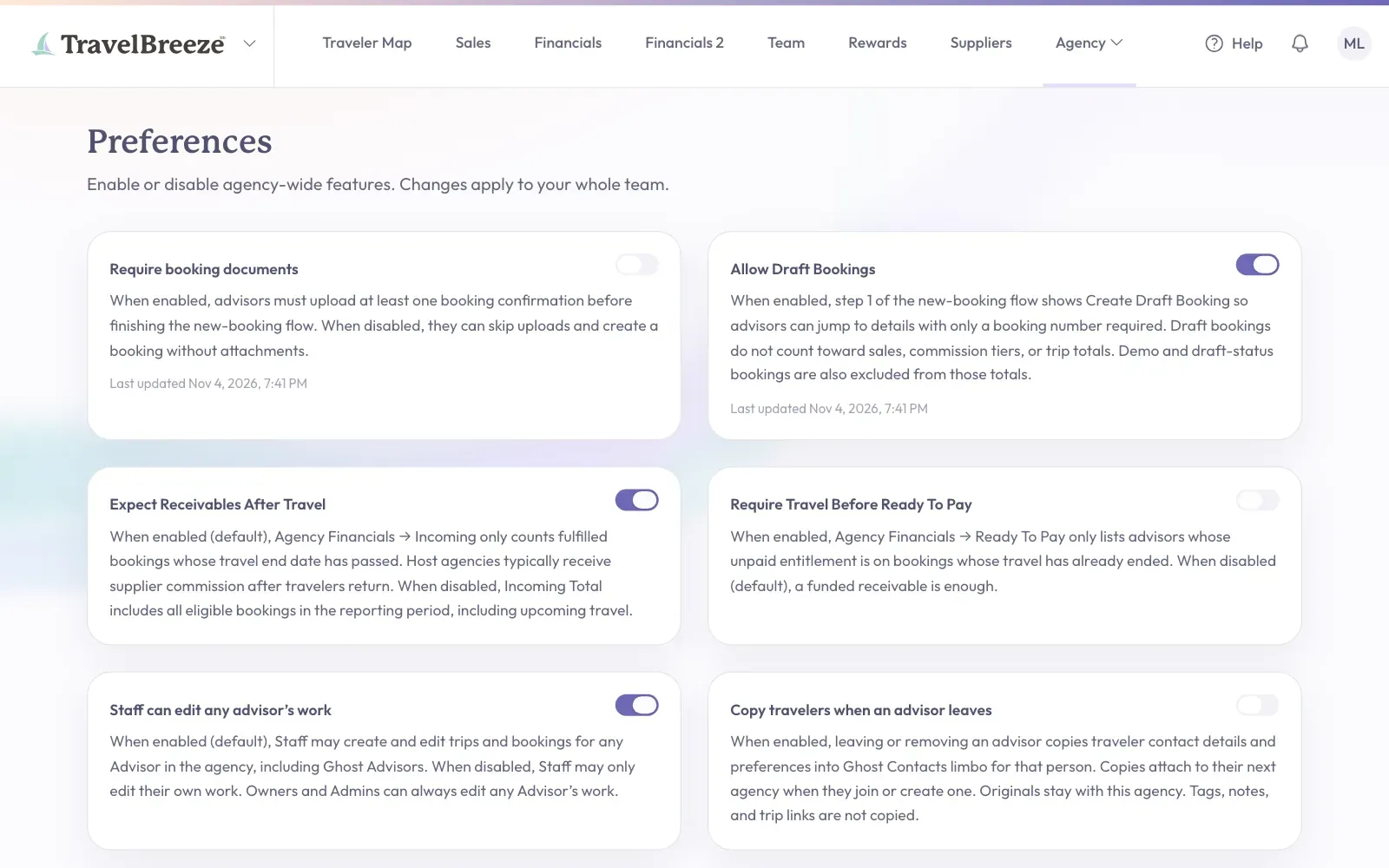
Find the preference in the list. Read the words under it.
-
Click its switch to enable or disable it.
What You Can Choose
- Require booking documents makes advisors upload a confirmation before they finish a new booking.
- Allow Draft Bookings lets advisors create practice bookings. Read Draft Bookings.
- Expect Receivables After Travel only counts bookings as incoming once their travel has ended.
- Require Travel Before Ready To Pay only lists advisors under Ready To Pay once their travel has ended.
- Staff can edit any advisor’s work lets Staff change other advisors' trips and bookings.
- Copy travelers when an advisor leaves copies traveler contact details for that person when they leave.
- Allow Advisors To See Agency Commission Percentage And Agency Commission Amount shows advisors the agency's commission totals.
- Require Cancellation Waiver makes advisors upload a waiver before a booking can be set to cancelled.
Stuck? Do not see Agency in the menu? Only owners and admins can see it. Read Change What Someone Can Do In Your Agency.