
This article is only for agency owners and admins. Everyone else sees Sales Access Required instead.
The Sales page shows what your agency has sold. It also lets you count sales made outside of TravelBreeze™.
Open Sales
-
Look at the top left corner of the page. Click the logo.
-
Click Back Office Menu.
-
Look along the top of the page and click Sales.
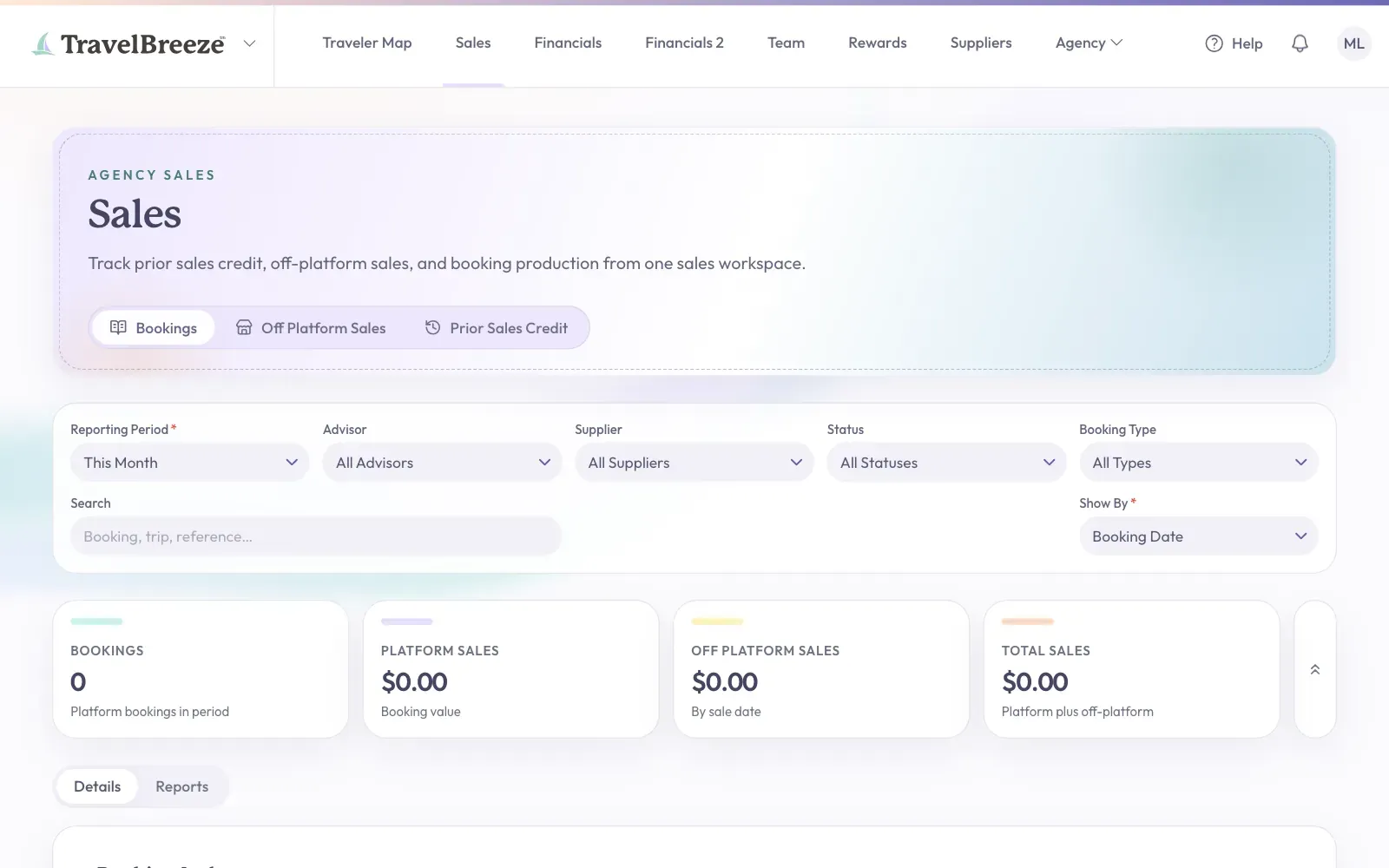
The Three Tabs
- Bookings lists bookings made in TravelBreeze™, with their totals. Use Reporting Period to change the dates.
- Off Platform Sales gives an advisor credit for a sale booked outside of TravelBreeze™. These count toward commission tiers by the sale date.
- Prior Sales Credit holds an opening balance for an advisor who joins partway through the year. It counts toward commission tiers. It shrinks when you add older bookings.
Credit A Sale Or An Opening Balance
-
Click the Off Platform Sales tab or the Prior Sales Credit tab.
-
Click Create Off-Platform Sale or Create Prior Sales Credit.
-
Fill in the boxes.
-
Click the button at the bottom to save.
Stuck? No records showing? Look at Reporting Period and pick a longer stretch of time.